26.12
Kaseya Quote Manager release notes
The Kaseya Quote Manager (KQM) team is excited to announce the following new features and/or fixes:
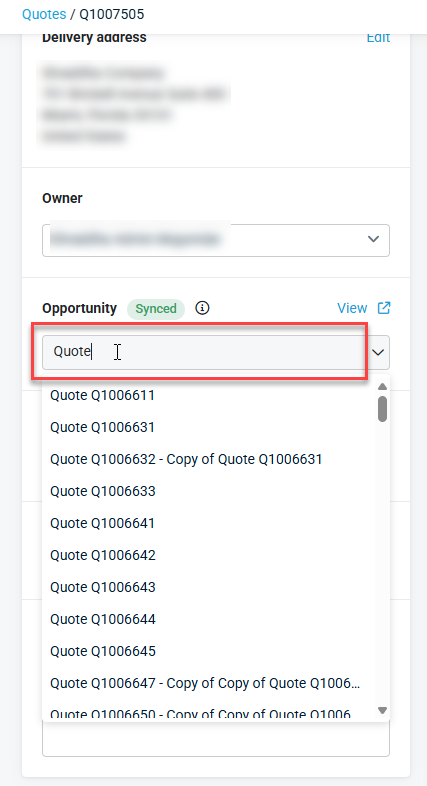
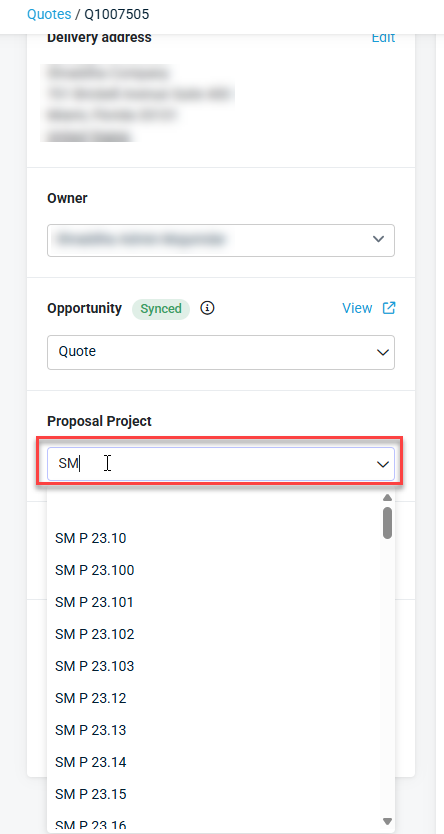
Searchable opportunity and project dropdown on quotes
Users can now search for Autotask opportunities by name when linking an opportunity to a quote. The search uses a contains match, so partial name entries return relevant results without requiring an exact match. The project selection dropdown on quotes now also loads project data directly when the page opens. Users can search for a project by name, and the labor block updates immediately when a different project is selected.
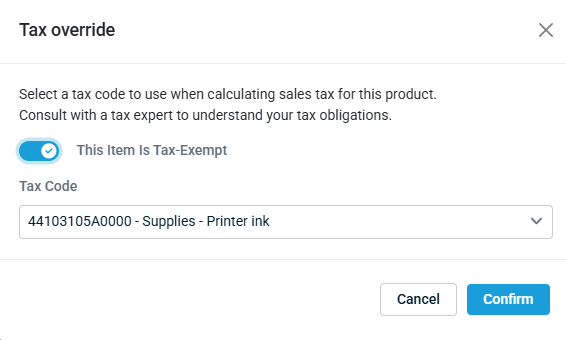
Tax-exempt setting independent from custom tax
The tax-exempt setting on a product can now be configured independently of the custom tax option. When a product is marked tax-exempt by default, users can specify a separate fallback tax behavior at the quote level without being forced into automatic tax.
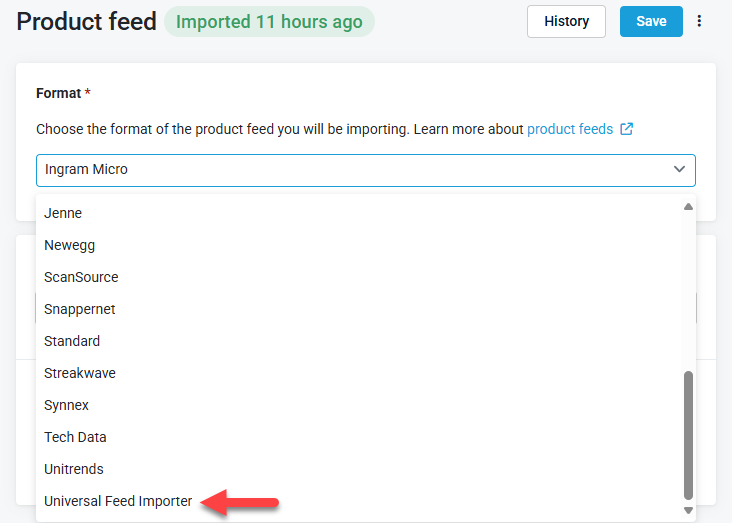
Vendor feed option renamed to Universal Feed Importer
The vendor feed dropdown option previously labeled Custom has been renamed to Universal Feed Importer in the Suppliers product feed configuration screen. The underlying behavior is unchanged.
Fixes
- When automatic pricing was active and no margin rule applied, the sell price was incorrectly set to $0.00 instead of the product's cost value. Pricing now falls back to cost when no margin rule produces a valid price.
- Several issues with the Edit Delivery Address modal have been resolved: dropdowns were not clickable when accessed from the customer view; the Country, State, and Delivery Instructions fields were not cleared when switching between addresses or warehouses; the Company field displayed the Company Name instead of the Trading Name when a warehouse was selected; and the Company field was blanked out instead of populating the organization name when a different address was selected. Warehouse sort order in the dropdown now also matches the alphabetical order used on the Online Store checkout page.
- Warehouses that have no address configured now display a No address label in the Select a Warehouse dropdown instead of leaving an empty gap.
- The New Opportunity option was missing from the Opportunity dropdown after a user manually cleared the dropdown value on a quote. The option now appears consistently.
- On an unsaved quote, the labor block displayed No Project Selected immediately after a project was chosen from the project dropdown. Additionally, labor details did not refresh when a different project was selected on a quote. Both issues are resolved; the labor block now updates correctly when a project is selected or changed.


