26.11
Kaseya Quote Manager release notes
The Kaseya Quote Manager (KQM) team is excited to announce the following new features and/or fixes:
New features
Tax-exempt configuration
A new Tax Exempt option is now available for North American accounts at the product/service, labor, quote line, and sales order levels. Users can designate an entire quote or individual quote line items as tax-exempt. This tax-exempt status is automatically carried over to the corresponding sales order line items, where it is clearly indicated with a Tax Exempt badge.
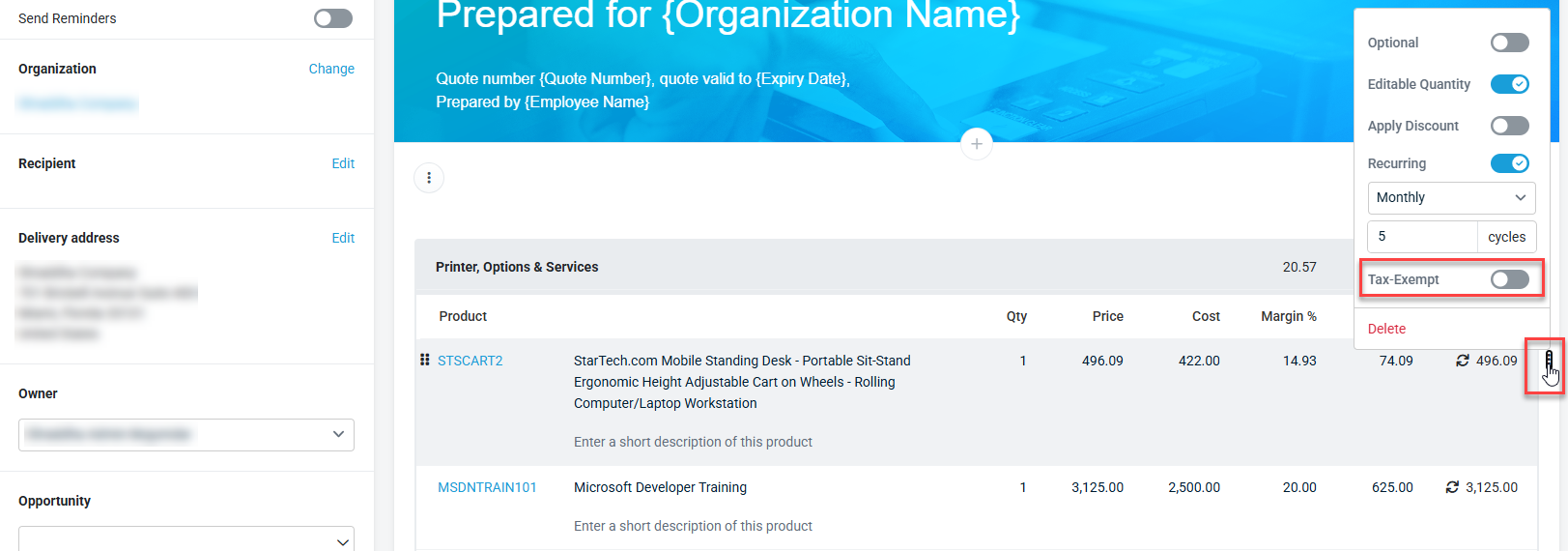
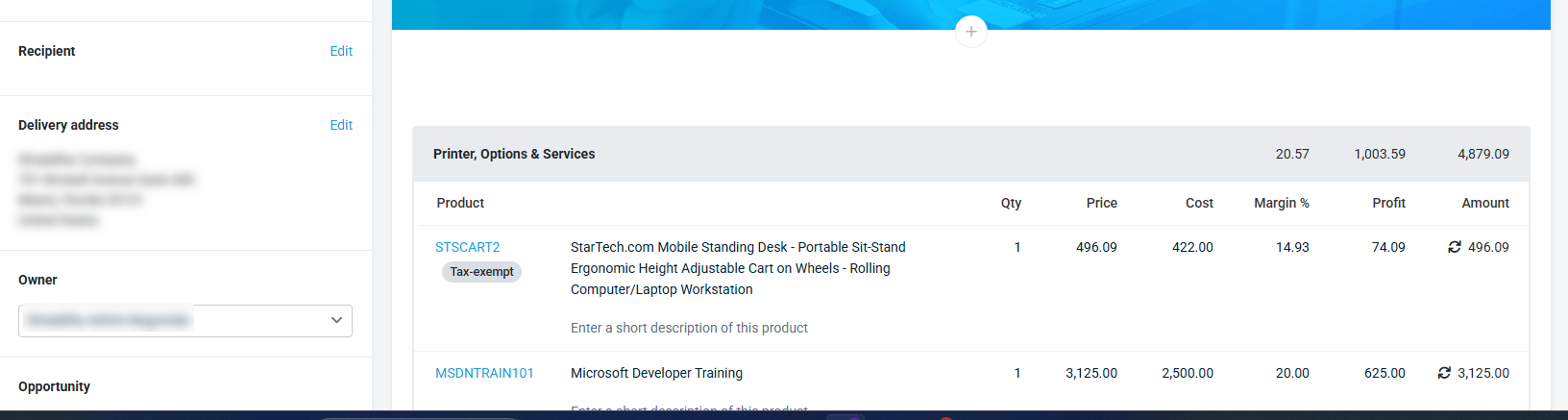
Additionally, tax-exempt settings and calculated tax values are preserved in quote version history, ensuring historical records remain accurate and fully auditable.
Chilean currency
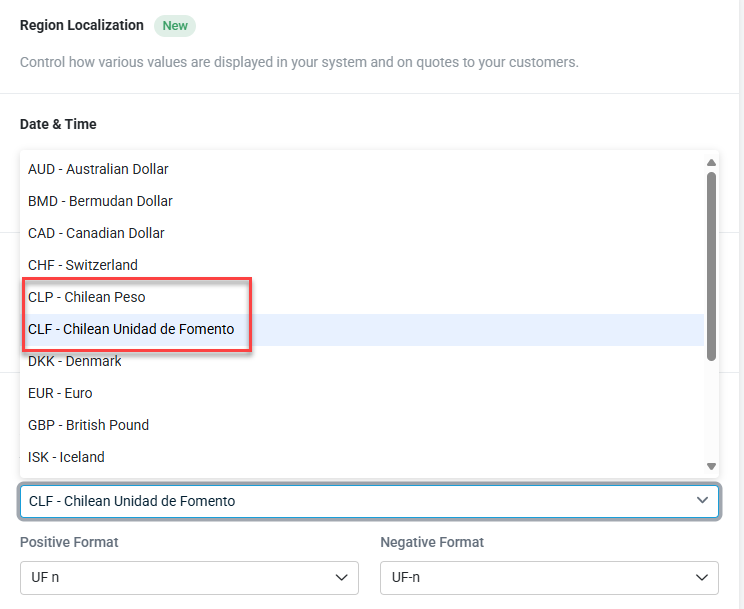
Chilean Peso (CLP) and Chilean Unidad de Fomento (CLF) are now available as currency options in the currency dropdown. Refer to Adding company details.
Fixes
-
Quotes and sales orders no longer display multiple duplicate error banners when a line quantity exceeds the available inventory for a product. The system now shows a single, accurate error message that reflects the correct quantity limit.
-
The Pick from Autotask checkbox on a sales order line no longer clears itself after the line quantity is updated on an approved sales order. The selection now persists, so users do not need to reselect it before fulfilling the order.
-
The Fulfilled column on a sales order now updates immediately when an inventory reservation job finishes, without requiring a page refresh. Users can see fulfillment progress in real time.
-
The expired quote message on a quote now displays in the quote's selected display language instead of always appearing in English. This applies even when the quote's expiry date has already passed.
-
The Accept quote button is no longer selectable on a quote that includes optional items once the quote has expired. This prevents users from attempting to accept a quote that can no longer be won due to its expiration date.
-
Quote version history now preserves the product cost and delivery address values as they existed at the time each version was created. Restoring a previous version correctly recalculates totals using those original values instead of the current ones.
-
Quotes containing products mapped to multiple Autotask products with the same manufacturer part number no longer fail to sync to an opportunity. The system now correctly matches inventory data across these products, so the sync completes successfully.
-
The received date recorded on a purchase order now reflects the date the order was actually received. Previously, this date could display incorrectly after receiving the order.
-
Product feeds from suppliers using Latin-1 encoding, including feeds containing Dutch characters, now import successfully. Previously, these feeds failed to import due to a character encoding mismatch.
-
Users can now delete the Autotask app connection even if the Autotask instance was already disconnected on the Autotask side or reconnected to a different tenant. The system displays a clear message instead of blocking the deletion with an error.
-
Products added to a cart on the online store and saved as a quote now correctly display their tax-exempt badge and toggle. Previously, this tax-exempt status did not carry over from the cart to the saved quote.
-
Report pages now load faster after columns are added or removed, because each page displays up to 50 records instead of loading the full result set at once. This reduces wait time on reports with large record counts, such as quote detail reports.


